
The Auction is a simple and dynamic way to compete for valuable items and earn money. Place bids, list your items, and watch how the auction goes!
📍 Where Do I Go?
🔻 Use the Map Legend and select Auction.
🔻 Choose the gavel icon and tap Track.
🔻 Head to the marked point!

📌 Important
💡 The Auction unlocks at level 3. Auctions run daily from 08:00 to 23:00 (GMT+3) — after 23:00 (GMT+3), the auction closes for the new bids. You can list items for sale until 08:00.
🔻 If you’re already bidding on a specific items (or lots), you won’t be able to place another bid on the same type of item. Wait until the current auction ends or choose a different category.
🔻If other players raise their bids, the price goes up. The minimum increase is 3% of the current bid.
🔻 If someone outbids you, your money will be returned to your Loot.
🔴Purchase
🔻Once inside, type /auction in the game chat.
🔻The auction menu will open — select the Purchase category. .
🔻Apply the filters.
🔻Filters can help to find the desired amount and product.
🔻 Now go for the items you’re interested in!
🔻 You can view the lot details in the right column. It shows the owner, item type, starting price, current price (latest bid), and the auction end time.
🔻 If you want to see more details, tap Place Bid.
🔻Enter your bid (minimum bid applies by default), and tap Next.
⚠️ Be careful with your bid — it can’t be canceled until the auction ends!
🔻 After that, you’ll see a notification confirming your bid amount.
🔻Track your bids under My ➡️ Purchases. You can also check your bid and the remaining auction time. If no one outbids you, the item will be yours!
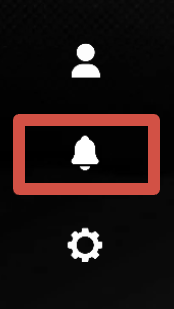
🔻You can check the win notification in the Tablet ➡️ bell icon.
🔻 You can find your reward in the Loot section.
🔻After buying a business at the auction, you’ll see a notification with further instructions when you log in!
🔴 Selling
🔻 In the auction menu, select the Selling category.
🔻Enter the details step by step based on the item type.
🔻You can put the following categories for sale: :
Cars
Real Estate
Business
License Plate
SIM Card
Accessory
Gas Station
Transport Company
Construction Company
🔻 Select a category and tap Next.
🔻 You can promote your lot to show it higher in the list. Tap ➕ icon to do it.
💡 The promotion cost depends on the item price!
🔻A confirmation window will appear next about the promotion!
🔻Tap List Lot.
🔻Tap Next to confirm your listing.
🔻Other players will see your item in the Purchase section.
🔻 You can track your item in My ➡️ Selling.
🔻To remove your item from the listing, select it and tap Next.
🔻Confirm you choice buy tapping Next.
🔻After that, Delete the listed item and it will be returned to you. All bids will be refunded.
Success here depends on strategy, not luck. Don’t be afraid to take part and use every opportunity to get the best results!